
TL;DR

Get furniture and decor delivered free with Prime
- Fast, free delivery on millions of items
- Prime Video, Amazon Music and more included
- Member-only deals all year
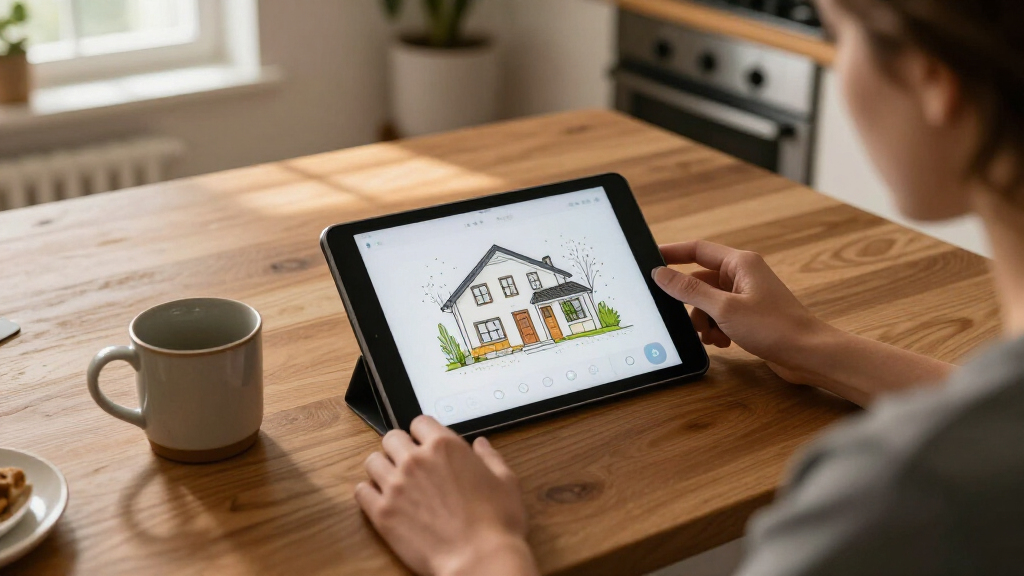
Anton Frolov hired an environment artist to draw his home, then used the illustration as the basis for an interactive Home Assistant dashboard. The project pairs artwork showing different room and device states with controls and readings placed over the image.
Anton Frolov commissioned an illustrator to draw his house and used the artwork to build a Home Assistant dashboard that shows device states over a picture of the home. The project addresses a practical problem with his earlier setup: other members of his household did not want to use its dashboard, even for controls such as the garden lights.
Frolov says he had spent about a year automating his home with Home Assistant, an open-source smart home platform. Some routines ran without manual input: air conditioners switched off when everyone left, while the garden sprinkler adjusted its run time according to weather and skipped watering when it rained. Other tasks still needed a person to use an app.
The garden lights were a recurring example. They could be controlled only through an app, and a Home Assistant timer switched them off after a period of time. As that timer approached its limit, the lights blinked to prompt someone to open the app and extend it. Frolov says the existing dashboard had not persuaded the rest of the household to use it.
He considered a physical switch but says it would not address every use case. For the new interface, he explored floor-plan dashboards, including 3D models and pixel-art layouts, before commissioning an environment artist whose portfolio matched the style he wanted. He supplied an architectural plan, room photos, visual references, examples of dashboards, and a technical brief.
The project shows one way to make smart-home controls easier to understand at a glance: the house itself becomes the interface. Rather than relying mainly on a list of devices or rooms, the dashboard places device images and status information where those devices belong in the illustrated home.
Frolov frames the result as a household usability change, saying it was the first dashboard his whole family enjoyed using. That is his account of the experience; the supplied report does not include feedback from other household members or measurements of how often they use it. The practical point is that automation still leaves manual tasks, and a visually familiar control surface may help people find them.
The approach also makes the artwork part of the system’s function. A fireplace can appear to flicker, garden lights can glow, and an air conditioner can appear to blow when its state calls for it. In this setup, animation communicates status as well as decorating the screen.
Products Worth Considering

LEVOIT Vital Pet Smart Air Purifier

TCL 43-Inch 4K UHD Smart LED Roku TV (43S435, 2021 Model)

Philips Hue Smart Light Starter Kit with Bridge and 4 White and Color A19 Bulbs
As an affiliate, we earn on qualifying purchases.
From Floor Plan to Interface
Frolov says he looked at existing floor-plan dashboards before choosing a hand-drawn style. The 3D examples he found often used a static model with interactive icons layered on top. Pixel art appealed to him, but he saw it as requiring either drawing each element himself or assembling sprites individually. He ultimately chose an artist whose existing work depicted indoor spaces in a style he liked.
His technical brief specified transparent PNG files, day and night versions for each floor, and separate layers for each device. Each device needed a still image for its off state and a short animation for its on state, in both lighting conditions. He also asked that all files use one shared canvas size, with each part kept in its correct position. Frolov says this alignment rule can prevent substantial manual work later.
He made additional versions for the garden: daytime, nighttime, and nighttime with the lights on. He initially requested animation frames as PNG sprite sheets, then converted them to animated WebP himself. In hindsight, he says he would request WebP directly.
““This is my Home Assistant dashboard, and for the first time, it’s one the whole family actually enjoys using.””
— Anton Frolov
What the Report Leaves Open
The supplied material does not give the artist’s name, the cost of the commission, the time needed to produce the artwork, or the date the dashboard went live. It also does not identify the particular Home Assistant devices, add-ons, or configuration files used in the finished setup.
Frolov describes the dashboard as something his household enjoys using, but the report provides no independent evaluation or usage figures. The material supplied for this article ends while describing how image elements respond to device states, so it does not establish every implementation detail or explain how the finished dashboard handles all possible device conditions.
Putting the Artwork to Work
Frolov says the Home Assistant setup uses the platform’s picture-elements card. The illustration serves as the background, while elements placed over it show devices and status readings. He says he mainly used image elements for devices, icon and state-label elements for readings, and conditional elements to show or hide items according to state.
For a device image, he describes using its state to select the picture: a still image when an air conditioner is off and an animated image when it is on. The supplied report does not detail later plans, changes to the dashboard, or whether Frolov intends to publish its configuration. Those details remain unknown.
Key Questions
What did Anton Frolov make?
He commissioned an illustration of his house and used it as the background for a Home Assistant dashboard, placing device images and status readings over the artwork.
Why did he commission an illustration?
Frolov says other members of his household did not want to use his earlier dashboard. He wanted a floor-plan interface that could make manual controls, including garden lights, easier for them to use.
How does the dashboard show whether a device is on?
Frolov says image elements can select an image based on device state. For example, the air conditioner can show a still image when off and an animation when on.
What files did he request from the artist?
His brief called for transparent images, day and night versions, and separate device layers with still and animated states. He also specified one shared canvas size so the pieces would line up when placed together.
Source: hn